Complete files
Open Gerber, Excellon, ODB++, IPC-2581, KiCad, Altium, DXF, Eagle, BoardView and placement data.
 AGBoard - PCBEditor
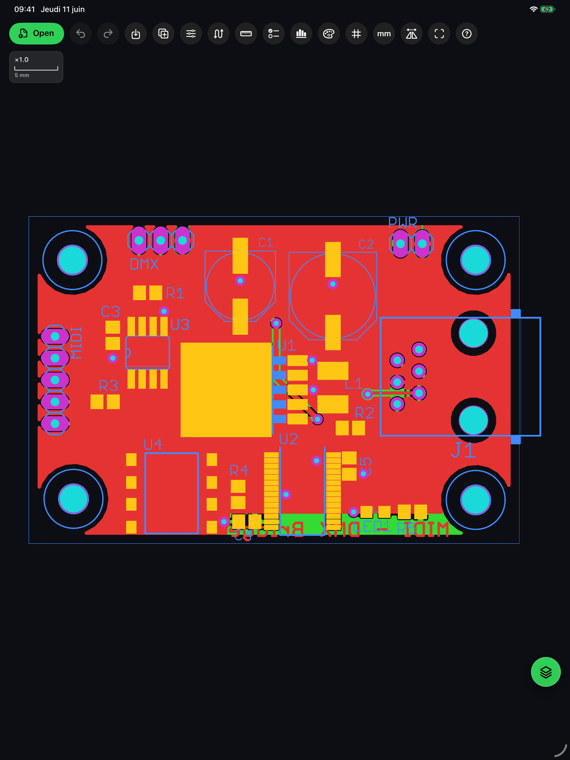
Mobile PCB inspection
Open a fabrication file at the bench, beside a machine or in the field. AGBoard brings precise PCB inspection and editing to the device already in your hand.
Pinch into dense pads, move across large boards and isolate the layers you need without turning a mobile screen into a reduced desktop interface.
Files open from the Files app, iCloud Drive and compatible document providers — including Open with… from Files, even when the app was closed. Parsing, rendering and editing remain on the device.
Open Gerber, Excellon, ODB++, IPC-2581, KiCad, Altium, DXF, Eagle, BoardView and placement data.
Control layers, use realistic colours, search components and nets, and inspect the reconstructed board in 3D.
Save supported source formats or create PNG, vector PDF, CSV reports, printouts and shareable AGBoard projects.
Yes. AGBoard uses the system document picker, so iCloud Drive, On My iPhone or iPad and compatible Files providers remain available.
No. There is no AGBoard account and PCB files are processed locally on the device.
Yes, with AGBoard Pro. The Files app shows each board file as a picture of the board, and tapping it opens a layer-by-layer PDF preview. Both are drawn on the device.
Yes. The interface is designed for touch navigation and Metal-accelerated rendering on supported iPhone and iPad devices.
Download AGBoard on iPhone or iPad. Five file opens are included before an AGBoard Pro subscription is required.