Geometry
Aperture flashes, stroked traces, arcs, regions, cutouts, aperture macros and step-and-repeat data.
 AGBoard - PCBEditor
Gerber RS-274X, X2 and X3
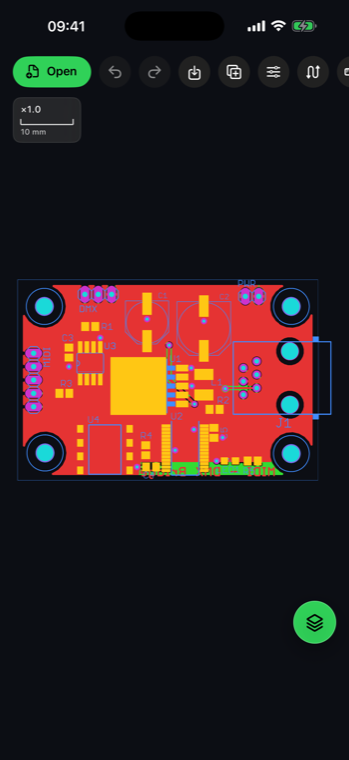
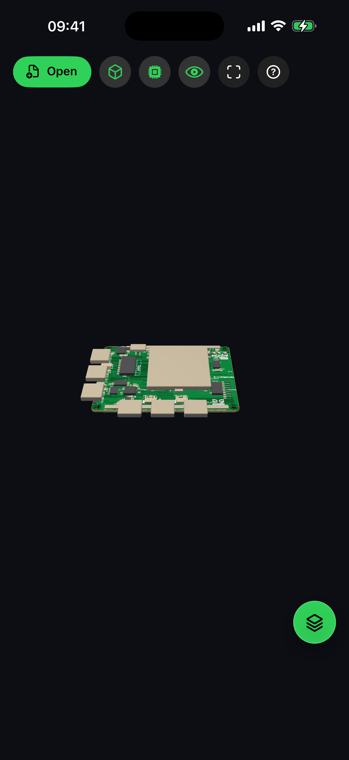
Inspect a single Gerber layer or a complete PCB fabrication set with precise touch navigation, layer controls, measurements, component and net search, editing and professional exports.
.gbr.gtl.gbl.gto.gts.gko.gm1.gbrjob.phdAGBoard reads Gerber RS-274X as well as X2 layer and object attributes. X3 component data can provide references, values, packages, mount types, rotations and net names directly from the Gerber set.
Open individual layers, a Gerber job file or a fabrication archive. Inner copper, solder mask, silkscreen, paste, profile and drill data stay separated so the board remains easy to inspect. A Gerber or drill file that stops before its end command is reported as possibly cut short — an interrupted download, usually — and what it holds is still shown.
Aperture flashes, stroked traces, arcs, regions, cutouts, aperture macros and step-and-repeat data.
X2 file attributes identify copper, mask, silkscreen, profile and other manufacturing roles. Zuken photoplot sets are recognised through their .phl index, so each .phd film lands on the side of the board it belongs to. Zuken CR-8000 sets are read from their .fpl photo list, which names the copper and solder-paste films. A file with an unusual extension (OrCAD, VeriBest, gEDA…) is recognised by its content.
Search component references, packages and nets when the Gerber set contains X3 assembly data.
The same touch-first tools stay available from a phone or a larger iPad workspace.
Yes. Open a .gbrjob file, a fabrication archive or the related layers together to build the complete board stack.
Yes. X2 attributes classify layers and objects; X3 data can add components and net names when present in the files.
No. Gerber parsing, rendering, editing and export are performed on your iPhone or iPad.
Download AGBoard on iPhone or iPad. Five file opens are included before an AGBoard Pro subscription is required.