
Local by design
Your PCB files are opened and processed on your device. AGBoard does not track users and does not sell personal data.
 AGBoard - PCBEditor
Available on the App Store
PCB editor for iPhone and iPad
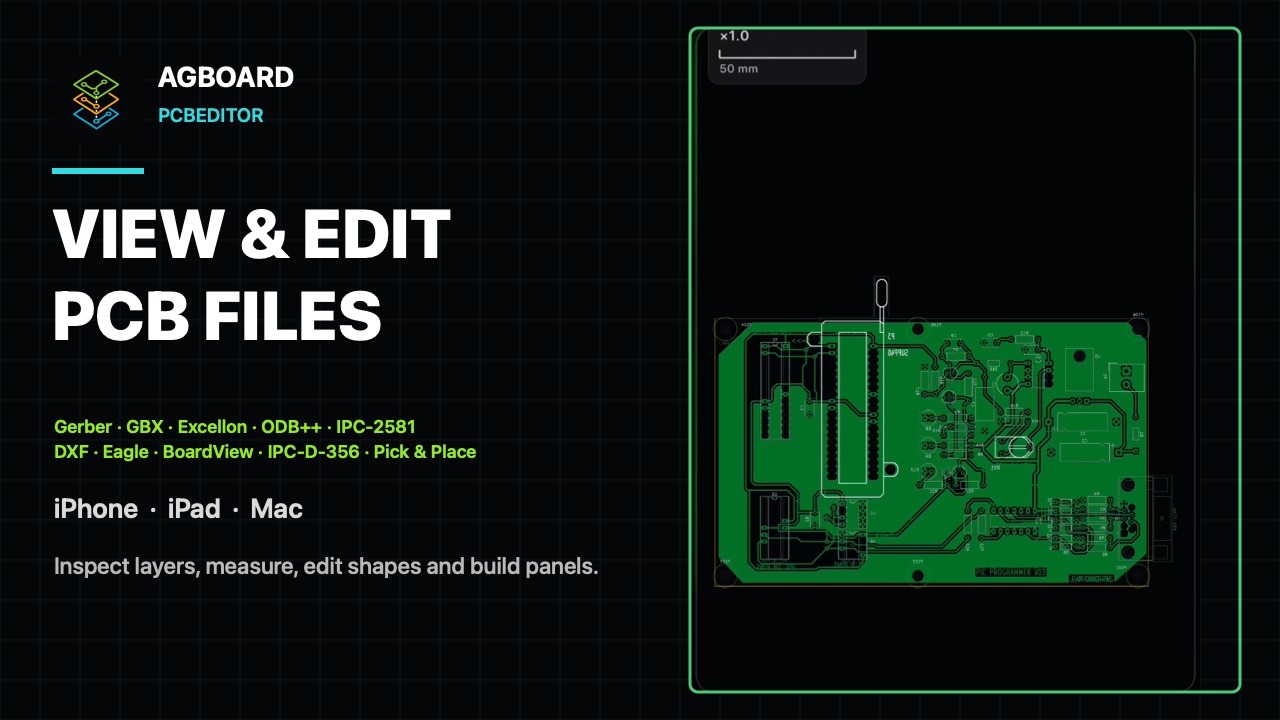
Open Gerber (X2/X3), KiCad, Altium, Excellon, DXF, ODB++, IPC-2581, Eagle and Landrex BoardView files, plus component placements. Inspect dense boards, measure clearances, edit shapes, transform layers and export clean reports directly from iOS.
Available now on iPhone and iPad. Mac and Windows versions planned for February 2027.
Support: support@agboard-app.com
Start with the task you need to complete, then choose the PCB data that carries it.
Open complete boards from Files or iCloud Drive and keep precise layer controls on iPhone and iPad.
Rotate the real profile, inspect holes and copper, flip the assembly and select available components.
Locate references, packages, pins, test points and named signals without losing their board context.
Check pad clearances, adjust supported geometry and repeat the whole board into a production panel.
| Format | Extensions | What is read |
|---|---|---|
| Gerber | .gbr .gtl .gbl .gto .gts .gko .gm1… | RS-274X, X2 and X3. Inner layers, macros, regions, step-and-repeat. X2 attributes set each layer's role; X3 adds components (reference, value, package, mount type, rotation) and net names. Zuken photoplot sets are recognised through their .phl index, each .phd film on the side of the board it belongs to; Zuken CR-8000 sets through their .fpl photo list. Files with unusual extensions are recognised by their content. A whole set opens from a folder or a .zip. |
| KiCad | .kicad_pcb .kicad_sch .kicad_pro .kicad_mod .kicad_sym .kicad_wks | The native KiCad board, opened directly. Layers, tracks, arcs, vias, pads, copper zones, silkscreen, components and nets. Schematics too: symbols, wires, junctions, net labels and hierarchical sheets, with wires carrying the same net names as the board. A project opens the board beside it; a footprint opens on its own. A symbol library opens as a contact sheet and a drawing sheet as the project's title block. Boards from KiCad 5 to the current version; schematics from KiCad 6 on. |
| Altium Designer | .PcbDoc .PcbLib .CSPcbDoc | Altium's own board and footprint library, opened directly. Tracks, arcs, pads, vias, copper pours, dimensions, silkscreen, board outline, components and nets. Unicode silkscreen included. Circuit Studio boards open the same way. |
| Excellon drill | .drl .exc .nc .xln .tap .xnc… | Plated and non-plated holes, slots, arcs and repeated patterns, with the hole table in the board statistics. Altium's legacy binary .DRL and blind-via .TX1 files, Allegro's nc_param.txt and Zuken CR-8000 drill files are read too. |
| ODB++ | folder · .zip .7z .tgz .tar .odb… | Complete multi-layer job; archives are extracted automatically, panels expanded, nets and components included. |
| IPC-2581 | .cvg .xml | Layers, pads, traces, nets and components in a single file. |
| AutoCAD DXF | .dxf | ASCII or binary drawings: layers, lines, arcs, circles, polylines, ellipses, splines, blocks, text and hatches. |
| Eagle / Fusion | .brd | Eagle board (XML): tracks, pads, vias, outline, silkscreen, text. |
| Landrex BoardView | .brd .brd2 | Inspection data: outline, component envelopes, pins, test points and named nets. |
| Gerber job | .gbrjob | Opens a whole referenced Gerber set in one tap, each layer with its exact role. |
| IPC-D-356 netlist | .ipc .356 .d356 | Electrical net list, enabling net search and highlighting. |
| Component placement | .csv .txt .pos .xy… | Pick-and-place files with reusable parser profiles for the column layout. |
| AGBoard project | .agproj | The layers and their settings, as saved with Export project, reopened as they were. |
Not read: Altium schematics (.SchDoc), KiCad 5 and Eagle schematics (.sch), Cadence Allegro databases (.brd), RAR and password-protected archives. For a board, export Gerber, ODB++ or IPC-2581 from the design tool; a KiCad 5 schematic opens once KiCad 6 or later has saved it.
Everything is parsed on your device — no upload, no account.
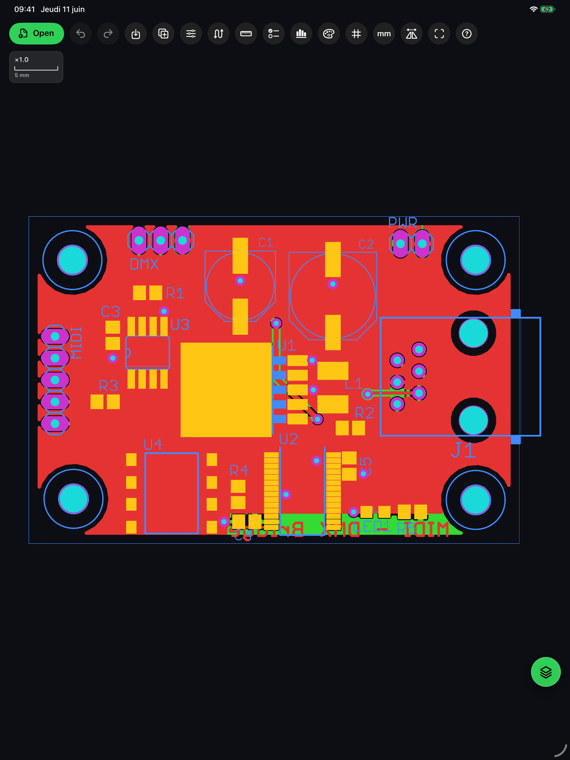
AGBoard on iPhone and iPad. Boards shown are public open-source example designs.
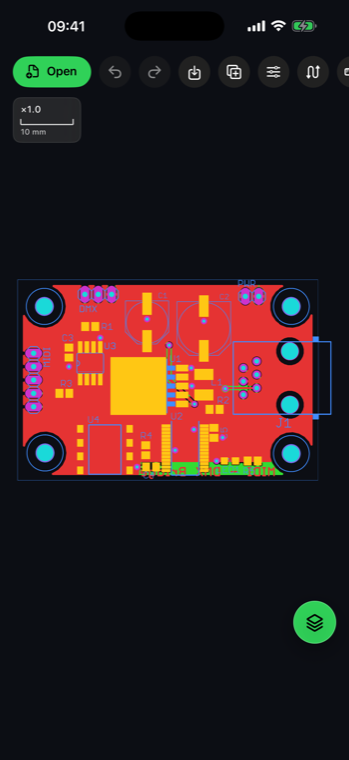
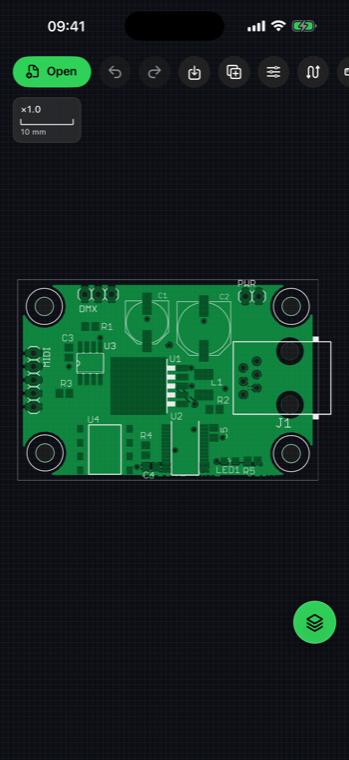
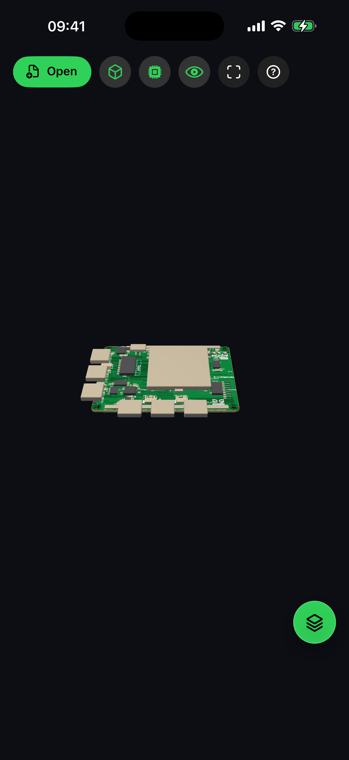
Your PCB files are opened and processed on your device. AGBoard does not track users and does not sell personal data.
Use pinch zoom, pan, layer filters, realistic colors, grid and snap settings to inspect boards anywhere.
Create HD PNG images, multi-page vector PDFs (one page per layer), layer CSV reports, light DRC CSV reports, AirPrint output and shareable project files.
On both iPhone and iPad, open files from the Files app or iCloud — a single file or a whole fabrication archive, every layer at once. On iPad you can also drag & drop them straight onto the canvas.
Zoom to the smallest pad, toggle layers, measure distances and clearances, and find any component or net in seconds.
Share HD PNG images, multi-page vector PDFs, CSV reports — or a project file your team can reopen as-is.
Gerber RS-274X/X2/X3 (inner layers included), KiCad and Altium boards and footprint libraries (Circuit Studio included), Excellon drill files, AutoCAD DXF drawings (ASCII or binary), ODB++ jobs with panels expanded, IPC-2581 designs, Eagle and Landrex BoardView .brd boards, Gerber job files (.gbrjob), IPC-D-356 netlists and CSV/TXT/POS component placements.
Yes, with AGBoard Pro. The Files app then shows a picture of the board as the thumbnail of each Gerber, drill, KiCad, Altium, Eagle, DXF or IPC-2581 file, and a layer-by-layer PDF preview when you tap it. Both are drawn on your device. Open the app once after subscribing.
Yes. Every file is parsed and rendered on your device - nothing is uploaded, no AGBoard account is required and the app contains no tracking.
AGBoard is free to download and lets you open five files at no charge. After those five file opens, an auto-renewable monthly or annual AGBoard Pro subscription is required to continue using the app. Subscriptions renew automatically until cancelled in your Apple Account settings.
iPhone and iPad running iOS 17 or later. Rendering is GPU-accelerated with Metal; performance still depends on the device and the size and complexity of the board.
Yes — Mac and Windows versions are planned for February 2027.