Components
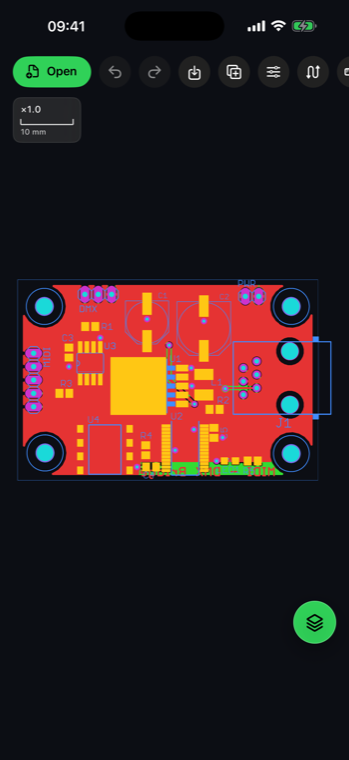
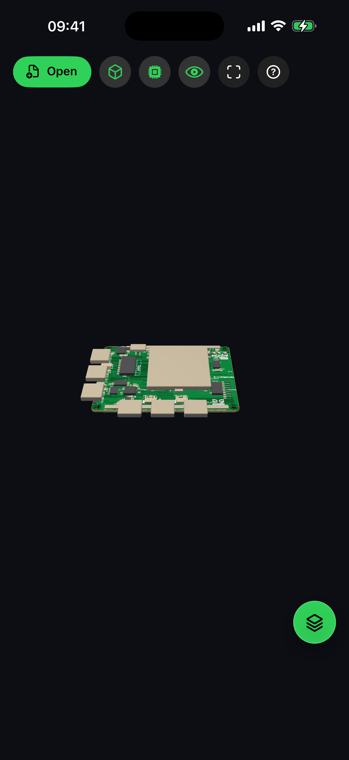
Search reference designators and inspect inferred component envelopes on the correct board side.
 AGBoard - PCBEditor
Board repair and inspection data
Carry BoardView inspection data to the bench. Open a Landrex .brd board, search components and tap a pad to highlight its complete named net across the top and bottom sides.
.brdAGBoard recognizes Landrex BoardView data separately from Eagle .brd boards. It reconstructs the board outline, component envelopes, pins, test points, side assignments and named nets.
The resulting layers separate board components, component pins, test points and outline data, making dense repair boards easier to scan and filter.
Search reference designators and inspect inferred component envelopes on the correct board side.
Pins and test points remain individually selectable and are separated into clear layers.
Tap a pad or search a net to highlight every supported point assigned to that logical connection.
The same touch-first tools stay available from a phone or a larger iPad workspace.
This page covers Landrex BoardView .brd inspection files. AGBoard also detects Eagle XML .brd boards separately.
Separating component envelopes, top pins, bottom pins and test points makes inspection and filtering more precise.
Yes. Tap a supported pad or search the net name to highlight its associated pins and test points.
Download AGBoard on iPhone or iPad. Five file opens are included before an AGBoard Pro subscription is required.