Copper
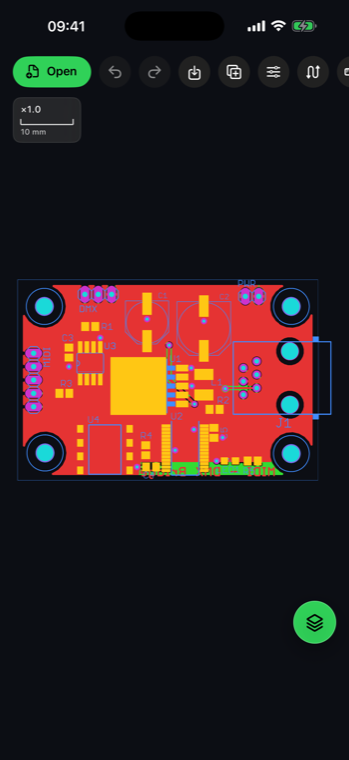
Segments, arcs, vias, through-hole and SMD pads, filled zones and board cutouts.
 AGBoard - PCBEditor
Boards, schematics, projects and footprints
Take a native KiCad design into the workshop or the field. AGBoard opens boards, schematics, neighboring project files, individual footprints, symbol libraries and drawing sheets with their real copper, silkscreen, component and net data.
.kicad_pcb.kicad_sch.kicad_pro.kicad_mod.kicad_sym.kicad_wksAGBoard reads KiCad boards from version 5 through current syntax, including layer definitions, tracks, arcs, vias, pads, zones, board graphics, silkscreen text, footprints and net names.
Opening a .kicad_pro project locates its neighboring board, or its schematic when the project has no board. A .kicad_mod footprint can also open independently for close inspection.
Segments, arcs, vias, through-hole and SMD pads, filled zones and board cutouts.
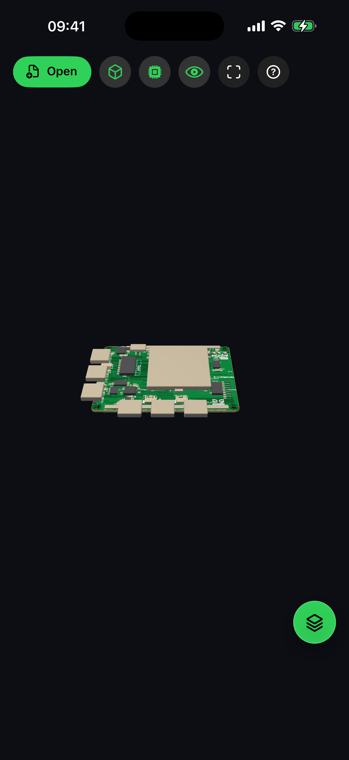
Footprint references, values, packages, rotations, side placement and silkscreen graphics.
Native KiCad net names support search and highlighting across tracks, vias and pads.
The same touch-first tools stay available from a phone or a larger iPad workspace.
Yes. A .kicad_sch sheet is drawn with its symbols, wires, junctions, net labels, references and values, and hierarchical sheets are followed automatically. Symbols, wires and text arrive as three layers you can hide separately. Wires carry their net name, and because a KiCad project uses the same names on its board, a net search finds it on either. Schematics are read only — they hold no manufacturing geometry, so nothing is ever written back to them.
No. It opens .kicad_pcb boards, .kicad_sch schematics, .kicad_pro projects and .kicad_mod footprints directly.
Supported tracks, arcs, vias, pads, zones, graphics, silkscreen, footprints, layers and nets are reconstructed for inspection.
Yes. AGBoard also opens .gbrjob manifests and their referenced Gerber and drill files.
Download AGBoard on iPhone or iPad. Five file opens are included before an AGBoard Pro subscription is required.